apk.cafe
Best apps for your Android

Hi, There you can download APK file "Maxthon Browser" for Android free, apk file version is 4.3.5.2000 to download to your android device just click this button. It's easy and warranty. We provide only original apk files. If any of materials on this site violates your rights, report us

Screenshots of Maxthon Browser for Tablet

  • Maxthon Browser for Tablet
  • Maxthon Browser for Tablet
  • Maxthon Browser for Tablet

Description of Maxthon Browser for Tablet (from google play)

Getting the latest build for your tablet.
https://play.google.com/store/apps/details?id=com.mx.browser

World's leading mobile web browser optimized for phones and tablets bigger than 7.7 inch (7.7, 8.9, 10.1, etc)

Search FAST & SMOOTH! Browse fast with the Maxthon web browser on your Android phone and tablet. Maxthon Web Browser for Android tablet is the world’s fastest & smartest web browser for tablets – extremely fast, secure and easy to use! Along with amazing, lightning fast browsing & download speed, Maxthon web browser for tablets gives you a whole range of great customizable features, making it the best ‘out of the box’ browser experience on Android. Maxthon web browser uses the least amount of CPU resources giving you a faster browsing experience that will not drain your mobile phone battery as fast as other web browsers. In addition, the memory footprint for mobile devices and tablets is light – which means more room on your device for other apps and pictures.

Maxthon web browser has updated to Maxthon Cloud Browser in 2013, the new browser support phone & tablet layout automatically.

Make no mistake, with over 600 million downloads of its PC web browser Maxthon knows how to make your web sizzle. Maxthon Mobile is packed with cool features like:

- Sync to the Cloud - Your bookmarks/favorites travel with you from desktop to mobile.
- Theme/Skin - Ever-growing collection of skins that can customize your browser the way you like it
- Features and benefits:
- (NEW) Quick Access - Puts your favorite sites on speed dial.
- (NEW) NewsBites - Puts your favorite media on speed dial.
- WWW/WAP switch - Switch between www and WAP versions of the web at your fingertip
- RSS reader widget - Find, manage and read your favorite content quickly and easily
- Speed Dial - Quick access of the best sites on the web.
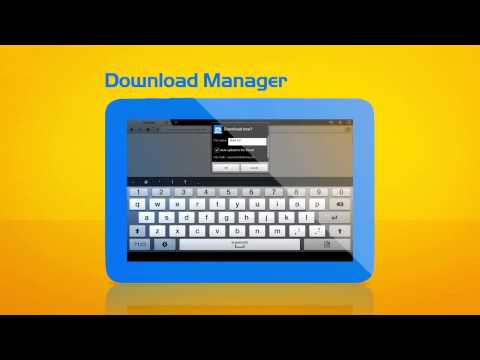
- Download Manager - Makes it easy to sort, schedule and grab the downloads you need: wherever, whenever.
- Super Gesture - Use touch screen commands to surf with your fingertips.
- Tab browsing - Powerful tab management that puts your mobile screen to maximum use.
- Amazing speed - Get websites super fast.
- Powerful personalization - Avatars and more.

If you have a 7 inch tablet (Nexus 7), please also check out Maxthon Android Web Browser at market://details?id=com.mx.browser

Maxthon web browser for Tablets is also optimized for popular tablets such as: Asus EeePad, Acer Picasso, Samsung Galaxy Tab, Toshiba AT100, Motorola XOOM, and more...

-------------------------------------------------------------------------------------------------
We love hearing from you! For support questions, please contact: mm_support@maxthon.com
Join our community forum: http://forum.maxthon.com
Website: www.maxthon.com

Facebook: www.facebook.com/maxthon
Twitter: www.twitter.com/Maxthon
YouTube: www.youtube.com/MaxthonCloudBrowser
LinkedIn: http://www.linkedin.com/company/maxthon-international-limited
------------------------------------------------------------------------------
What's new in Maxthon Browser for Tablet

New in Maxthon Browser 4.3.5.2000
Maxthon Cloud Browser for Tablet (v4.3.5.1000)What's new-QR scan in address bar- Optimized Full Screen mode- Better UI experience- Bug fixes and stability improvements
Please rate this app

Maxthon Browser for Tablet Version History: APK Size & Android Support

Explore the version history of Maxthon Browser for Tablet for Android and see how the app has evolved over time. This section tracks versions added to the apkcafe.in catalog, including download size, declared permissions, and Android compatibility. Select a point on a chart to explore historical version data.

Maxthon Browser for Tablet Catalog Statistics

Maxthon Browser for Tablet Versions Added by Month

January 20151 version added
New versions in the catalogNo updates since Jan 2015

1 new Maxthon Browser for Tablet version was added to the apkcafe.in catalog in 2015. The catalog contains 2 versions dating back to May 2013.

Maxthon Browser for Tablet Download Size History

4.3.5.2000Jan 23, 20156.45 MB APK
Download size for most phonesNo updates since Jan 2015

The Maxthon Browser for Tablet download size for most phones increased from 5.72 MB in version 4.0.4.1000 (2013) to 6.45 MB in version 4.3.5.2000, a 13% increase.

Maxthon Browser for Tablet Permissions History

4.3.5.2000Jan 23, 201521 permissions
Permissions declared by the versionNo updates since Jan 2015

Maxthon Browser for Tablet 4.3.5.2000 declares 21 permissions, 7 more than version 4.0.4.1000 from 2013 (14).

Maxthon Browser for Tablet Android Compatibility History

4.3.5.2000Jan 23, 2015Android 2.2+, built for 3.2
Requires (minimum Android)Built for (target Android)No updates since Jan 2015

Maxthon Browser for Tablet 4.3.5.2000 requires Android 2.2 or newer and is built for Android 3.2.

Older versions of Maxthon Browser for Tablet. The apkcafe.in catalog has 2 versions of Maxthon Browser for Tablet, from 4.0.4.1000 (May 2013) to Maxthon Browser for Tablet 4.3.5.2000 (Jan 23, 2015). If the latest version has a bug, changed something you rely on or does not work on your phone, you can install an earlier one from the list of older Maxthon Browser for Tablet APK versions below.

Android does not install an older version over a newer one, so uninstall Maxthon Browser for Tablet first. This usually deletes the app's data on the phone, so back up anything you need.

Dates show when each version was added to the apkcafe.in catalog. Size is the full download for most phones; permissions are for the same build.

Maxthon Browser for Tablet 4.3.5.2000 permissions

Check before installing: Shows over other apps +221

Worth knowing

  • Shows over other appsCan draw on top of other apps. You can turn it off in Settings, Apps, Special app access.
  • Changes system settingsCan change settings like screen brightness or the ringtone.
  • Built for old AndroidMade for Android 5 or older: it gets risky permissions without asking, and Android 14+ will not install it.
Asks firstShow the list (6)
  • Cameratake pictures and videos
  • Locationaccess approximate location only in the foreground, access precise location only in the foreground
  • Phoneread phone status and identity
  • Filesread the contents of your shared storage Android 4.1+, modify or delete the contents of your shared storage
Special accessShow the list (2)
  • Display over other appsCan appear on top of other apps or other parts of the screen. This may interfere with normal app usage.
  • Modify system settingsAllows the app to modify the system's settings data. Malicious apps may corrupt your system's configuration.
Granted automaticallyShow the list (13)
  • allow Wi-Fi Multicast reception
  • close other apps
  • connect and disconnect from Wi-Fi
  • control flashlight up to Android 6.0
  • control vibration
  • have full network access
  • install shortcuts Android 4.4+
  • prevent phone from sleeping
  • read your Web bookmarks and history up to Android 6.0
  • retrieve running apps
  • run at startup
  • view network connections
  • view Wi-Fi connections

Hardware

No special hardware required.

Permission changes

Changes since 4.0.4.1000.

Added in this version

  • take pictures and videos
  • allow Wi-Fi Multicast reception
  • connect and disconnect from Wi-Fi
  • control flashlight
  • display over other apps
  • control vibration
  • modify system settings

More info

Advertisement

Maxthon Browser for Tablet Older APK Versions for Android

Similar apps

Popular android apps